

Salon Client Texting
A Smarter Way to Manage
Client Communication
Stop managing conversations across multiple apps.
Emvari keeps every client message in one place — organized, visible, and tied to your business.
Coming soon. Two-way texting isn’t part of the November 15 beta.

Stay Connected
to Every Client
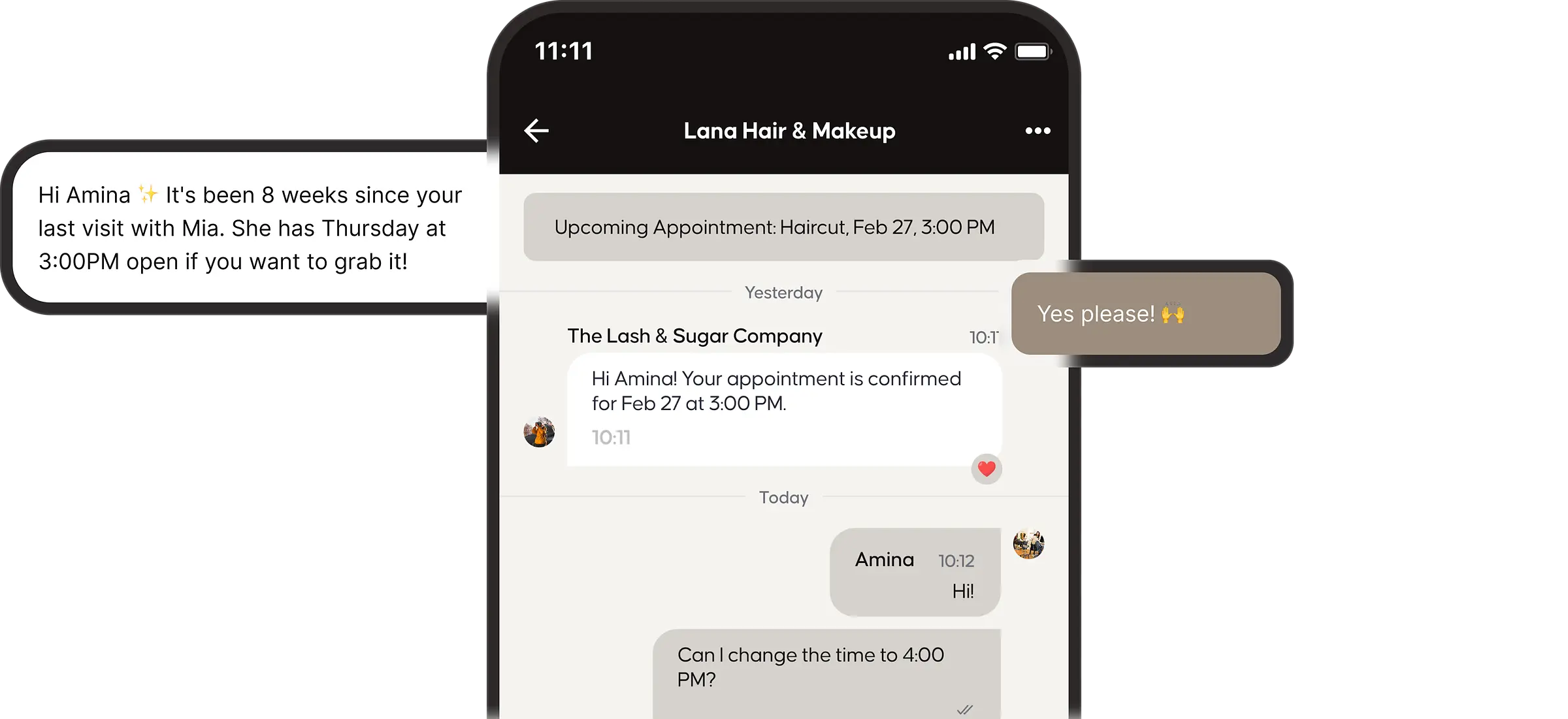
Every client interaction matters, from quick questions to appointment changes and follow-ups. With Emvari, you can message clients, respond instantly, and keep every conversation organized without switching between apps or losing context.
Turn Client Conversations
into Action
Messaging isn’t just communication — it’s how you confirm appointments, answer questions, and keep clients moving forward.

All Messages
in One Place
No scattered texts or missed conversations —
everything is organized and easy to manage.

Connected to
Every Client
Messages are tied to profiles, appointments, and
history — so you always have context.

Respond From
Anywhere
Stay connected across desktop, tablet, and mobile —
without losing visibility.

Decide who can view and respond to conversations
across your business.
Turn Client Conversations
into Action
Messaging isn’t just communication — it’s how you confirm appointments, answer questions, and keep clients moving forward.

All Messages
in One Place
No scattered texts or missed conversations — everything is organized and easy to manage.

Connected to
Every Client
Messages are tied to profiles, appointments, and history — so you always have context.

Respond From
Anywhere
Stay connected across desktop, tablet, and mobile — without losing visibility.

Controlled Team
Access
Decide who can view and respond to conversations across your business.
Make it Easier for
Clients to Say Yes
When clients can easily ask questions, send photos,
and get quick responses, they’re more likely to book and return.

Streamline Steps
- Faster responses = higher booking confidence
- Clear communication before appointments
- Build stronger client relationships
- Better overall experience for your business
Clarity builds trust. Trust builds bookings.
1
Message
Client asks a question or sends a photo.
2
Response
Instant professional reply from your team.
3
Booked
Confidence built, appointment secured.
Streamline Steps
- Faster responses = higher booking confidence
- Clear communication before appointments
- Build stronger client relationships
- Better overall experience for your business
Clarity builds trust. Trust builds bookings.
1
Message
Client asks a question or sends a photo.
2
Response
Instant professional reply from your team.
3
Booked
Confidence built, appointment secured.
RELATED READING: Automated client notifications · Salon follow-up messages that bring clients back
Two-Way Messaging
Frequently Asked Questions
Why move client texts off my personal phone?
Three reasons every salon owner has lived. One — when a stylist quits, the conversations leave with them, and so do the clients. Two — there’s no record of what was promised, scheduled, or quoted, so disputes turn into your word against theirs. Three — personal numbers blur professional boundaries, and the texts don’t stop at 9 pm. Emvari moves every client conversation into one shared inbox tied to the salon, not the team members. Two-way messaging is available on the Expand and Evolve plans.
What can clients message me about?
Can clients send photos for consultations?
What happens to messages when a stylist leaves?
Can my team also message each other inside Emvari?
Yes. Team chat runs inside the same app stylists already use for their schedule, tips, and client notes. Pin announcements, share updates, tag a specific stylist, or message the whole team. No second app to download, no Slack subscription, no group text thread that becomes unreadable by 11 am.
How is this different from texting clients now?
Most salons run client communication on personal phones, group texts, and DMs spread across three apps. Emvari consolidates all of it into one inbox tied to the salon — every message saved to the client profile, every photo organized, every conversation owned by the business.