

Salon Scheduling Software
Take Control of Every
Appointment
See your entire schedule clearly, reduce no-shows, and keep your salon running smoothly — without constant interruptions or front desk chaos.
Live November 15, 2026: calendar, online booking, waitlist, email confirmations and reminders, card on file and no-show fees. Coming soon: text reminders, deposits, calendar sync and no-show prediction.
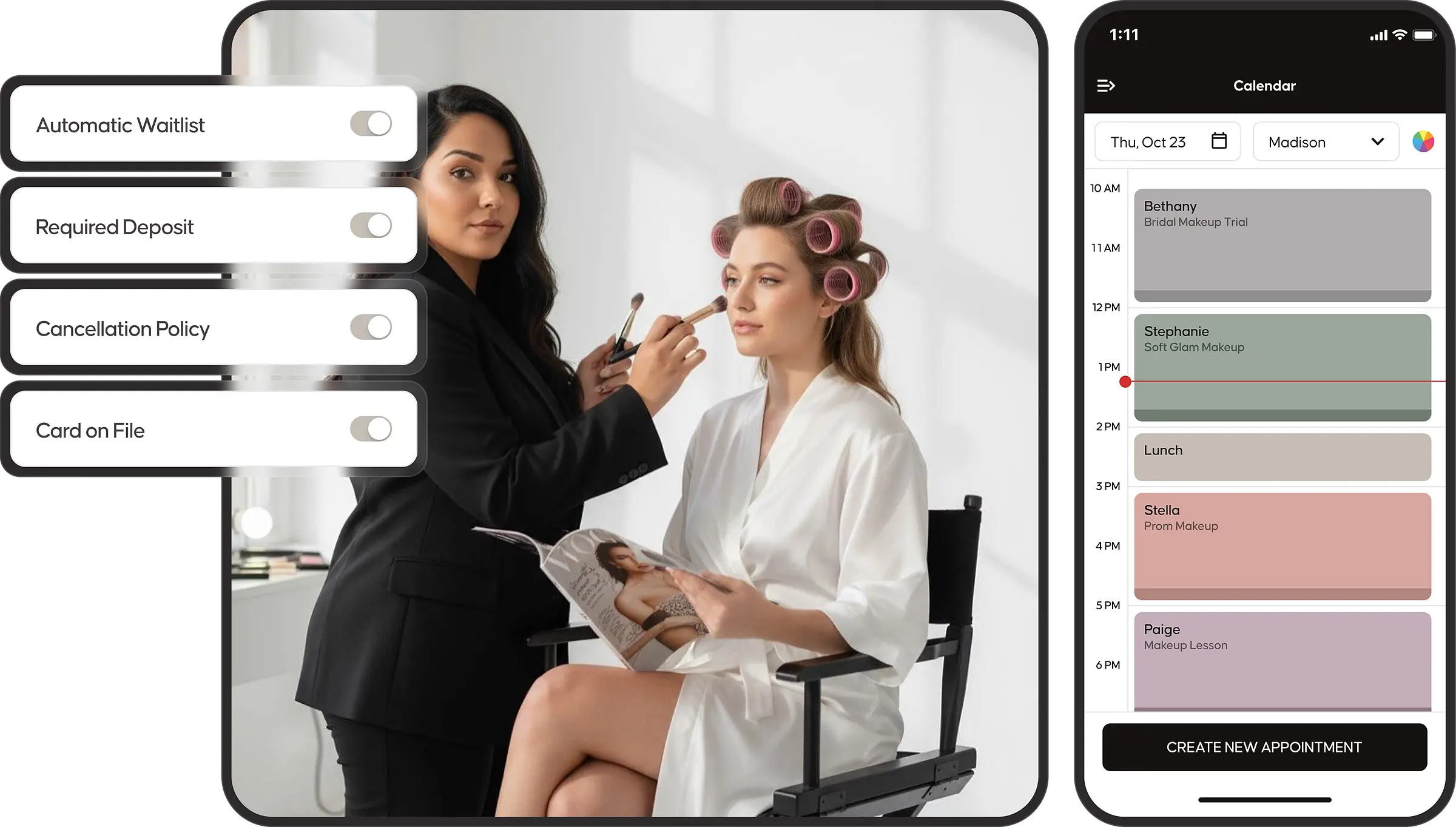
Simple to Use
Built for Busy Salons

Clarity at every moment.
One calendar. Every team member. Every appointment. Built so you can run your day without stopping to figure out what’s next.

Drag-and-Drop
Scheduling
Make changes in seconds.
Move, adjust, or reschedule appointments instantly without disrupting your workflow or slowing down your day.

Your Schedule
Always in Sync
Your calendar, connected everywhere.
See every booking from any device in one accurate, always-updated schedule. Calendar sync with Google Calendar and iCal is coming soon.

Every Appointment,
Every Location
Organize every off-site appointment with confidence.
Schedule mobile services, manage travel windows, and keep your calendar conflict-free, so you show up prepared, wherever the appointment takes you.
Clarity at every moment.
One calendar. Every team member. Every appointment. Built so you can run your day without stopping to figure out what’s next.
Drag-and-Drop
Scheduling
Make changes in seconds.
Move, adjust, or reschedule appointments instantly without disrupting your workflow or slowing down your day.
Your Schedule
Always in Sync
Your calendar, connected everywhere.
See every booking from any device in one accurate, always-updated schedule. Calendar sync with Google Calendar and iCal is coming soon.
Every Appointment,
Every Location
Organize every off-site appointment with confidence.
Schedule mobile services, manage travel windows, and keep your calendar conflict-free, so you show up prepared, wherever the appointment takes you.
Protect Your Revenue
Fill Your Schedule
No more empty time slots. Your calendar should be working for you, not against you.
Prevent Lost Revenue
Stop guessing who will show up.
- No-Show Fees: Charge your no-show and late-cancel fee automatically to the card on file.
- Automated Confirmations & Reminders: Reduce no-shows with messages sent automatically — no manual follow-up needed.
Fill Your Schedule Automatically
Turn cancellations into booked appointments.
- Smart Waitlist Auto-Fill: When a spot opens, clients on your waitlist are instantly notified and can book in seconds.
- Real-Time Availability Sync: Your schedule updates instantly, so open appointments are always visible and ready to be filled.
Salon Scheduling Software
Frequently Asked Questions
How does Emvari reduce no-shows?
At launch: email confirmations and reminders, a card-on-file requirement for new clients, and automatic no-show and late-cancel fees. Text reminders, deposits and no-show prediction are in development.
What happens when a client cancels at the last minute?
Can I require deposits or charge for no-shows?
Not yet. Deposits arrive March 15, 2027. At launch, you can require new clients to put a card on file, and your no-show and late-cancel fees charge automatically.
Does Emvari send appointment reminders automatically?
Yes. Confirmations are sent the moment a booking is made. Reminders go out by email before the appointment; text reminders are coming soon. Clients reschedule or cancel with a tap — no front desk phone calls, no manual follow-ups, no missed responses. You set the timing and the wording; the rest runs itself.
Can clients book appointments online?
How does Emvari prevent double bookings?
Every booking channel — the Emvari marketplace, the client app, walk-ins — writes to the same calendar in real time. The moment one client books a slot, it disappears everywhere else. No overlap, no manual sync, no awkward phone calls to move someone.
Can I manage my whole team's schedule?
Yes — on the Expand and Evolve plans. View the full team calendar from one dashboard, assign services to specific stylists, set individual availability and time-off, and let stylists bid on open shifts from their phone. Each stylist gets their own mobile app with their schedule, their tips, and their client notes — they manage their day without calling the front desk.
How do I keep my salon fully booked?
Three things have to happen automatically: no-shows have to be prevented before they happen, cancellations have to be filled within minutes, and every client has to leave with their next appointment on the books. Emvari is built to handle all three — your waitlist, card on file, no-show fees and reminders all work in the background so your calendar protects itself.