

Self-Service Salon Kiosk
Replace your front desk.
Keep the revenue.
Emvari’s salon kiosk does the front desk’s job — check-in, payment, tips and rebooking — so you skip a $35K–$50K receptionist salary and every client is asked to rebook before they leave. The kiosk is for salons: included on Evolve or a $79/month add-on on Expand, opening to salons with teams on February 15, 2027.
Your front desk is the most expensive
seat in the salon.
A receptionist costs $35,000–$50,000 a year. They work 40 hours a week, not 60. They call out sick. They forget to ask for rebookings. They miss the retail upsell. And when they quit, you lose the front of your business for weeks while you hire again.
Emvari’s salon kiosk is built to replace the front desk entirely, not babysit it.

Check-in that protects the guest experience.
Clients don't wait at the desk and stylists aren't interrupted mid-service — without your salon feeling like a fast-food counter.
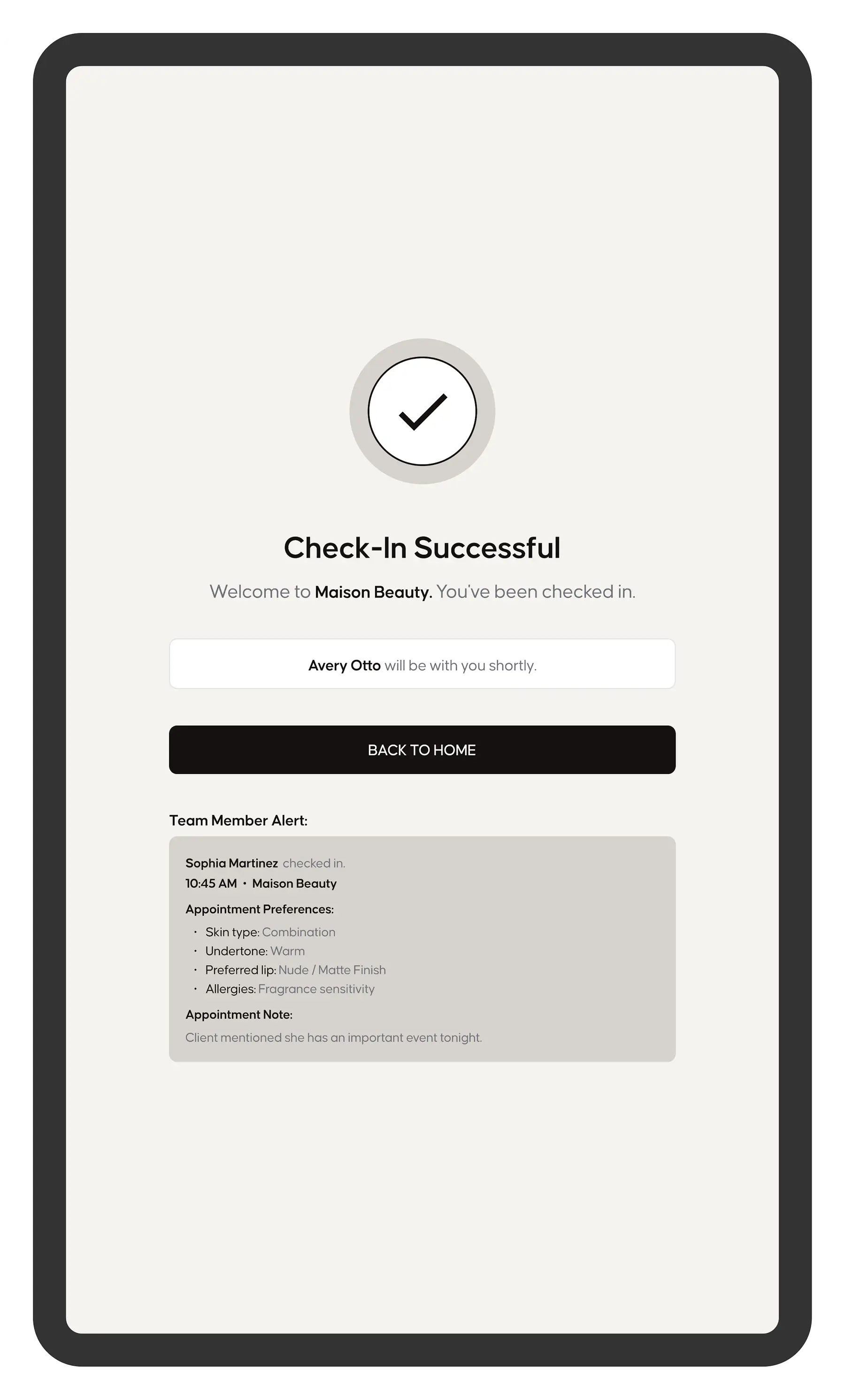
- Clients greeted by name with their stylist's photo
- Stylist notified instantly on the Emvari app

Every visit starts personal.
Clients confirm comfort preferences and service notes at check-in, so the stylist knows before they say hello.
- Comfort preferences captured at arrival
- Service notes sent to the stylist's app
Four things your front desk
should be doing, and now can.


Rebooks every client before they leave.
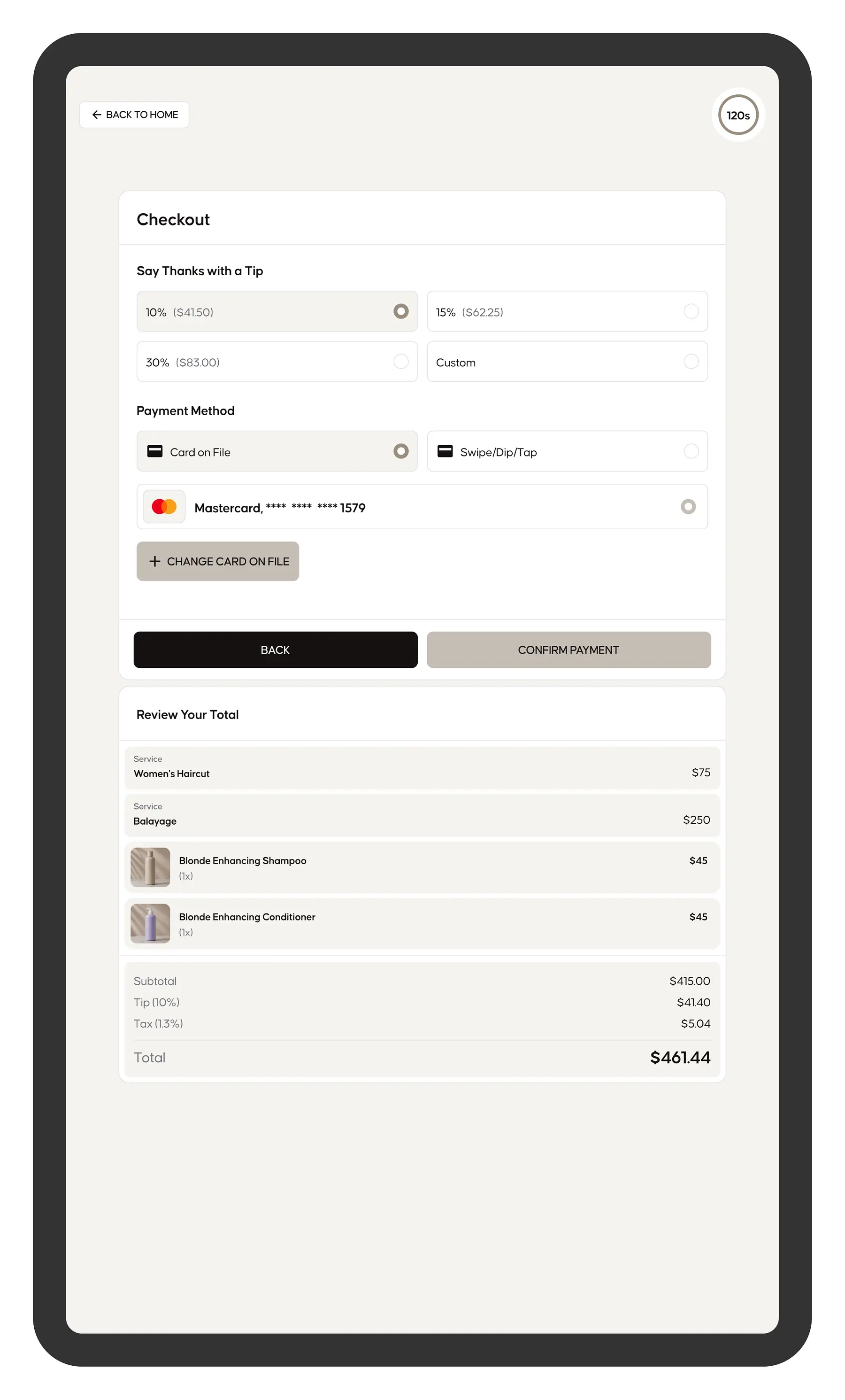
- Pay and tip with card, tap, Apple Pay or Google Pay
- Next appointment booked before they walk out
- Review request sent once they rebook

Sells to every client, every visit.
- Retail suggestions matched to the service
- Add-on prompts at checkout
- Only suggests products you have in stock

Turns walk-ins into booked revenue.
- Browse services and stylists on the kiosk
- Book an open slot or join the waitlist
- Put a card on file to hold the appointment


Put front desk payroll back into your salon.
- Skip a $35K–$50K receptionist salary
- Move front desk staff into retail or guest experience
- Open a second location without a second receptionist
Receptionist vs.
Emvari Salon Kiosk
The math every salon owner should do once.
The salon kiosk doesn’t replace hospitality. It replaces the tasks that keep your team from giving it.
How the salon kiosk runs
a full guest visit.
From the moment a client walks in to the moment they walk out, the Emvari salon kiosk handles every front desk task.
- Step 1
Client walks in
Checks in at the kiosk in under 15 seconds. Their stylist is notified instantly on the Emvari app.
- Step 2
Service happens
No front desk interruptions. No “can you grab line 1?” Your team stays focused on the chair.
- Step 3
Service ends
The client pays, tips, and books their next appointment at the kiosk in under 60 seconds.
- Step 4
Before they leave
The kiosk asks for a Google review and suggests the retail product that matches their service.
- Step 5
You never touched the front desk.
Salon Kiosk
Frequently Asked Questions
How do I get the Emvari kiosk?
The kiosk is included on the Evolve plan ($199/month, or $169/month billed annually). Expand salons can add it for $79/month per location. Evolve is built for salons running full business automation — the kiosk, reputation management, and the advanced features that let your team focus on clients instead of front desk tasks.
How does the kiosk make me more money?
Three ways. Every client is prompted to rebook before they leave — most front desks forget. Every client is asked for a Google review at the moment of peak satisfaction — reviews drive new bookings. Retail products are suggested at checkout based on the service they just had. Salons on Evolve average $40K+ in annual savings and added revenue through kiosk-driven automation.
Do I have to fire my receptionist?
Will my regulars actually use it?
What hardware do I need?
A dedicated Emvari kiosk screen, built for a busy lobby. We sell it at our cost, with no markup and no hardware subscription.
How long does setup take?
Under an hour. Import your client list, connect your calendar, plug in the kiosk. You’re live the same day. Evolve plan clients get hands-on onboarding to set up your kiosk configuration, service menu, and team app — so the day it arrives is the day it runs.