


Client Management
The Details That Keep
Clients Coming Back
All your client history, notes, and preferences in one place — so personalized service isn’t extra effort, it’s just how you work.
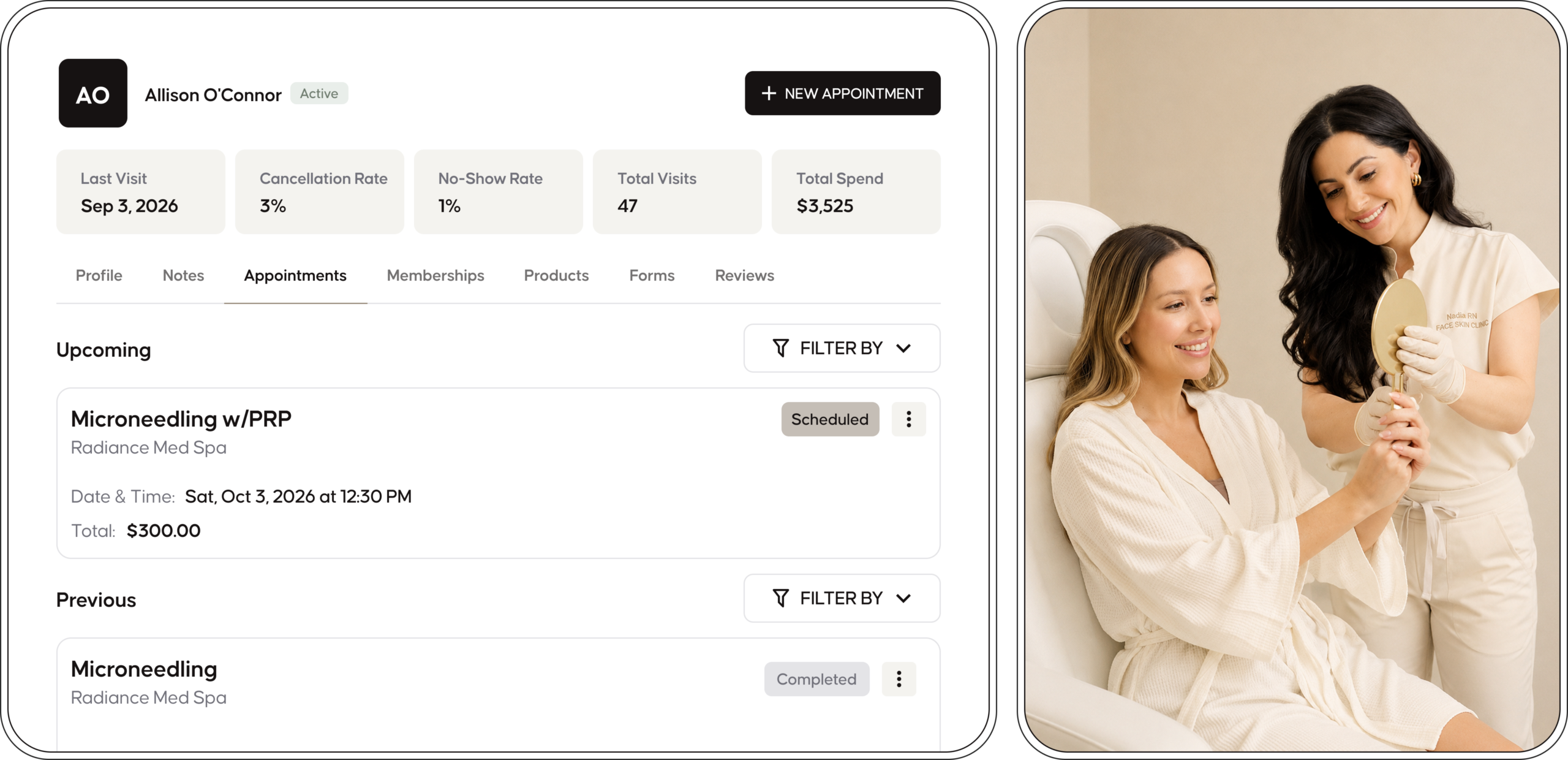
Client Profiles That Go
Beyond Basics
From first visit to loyal regular, every interaction is tracked and easy to access — giving your team the full picture, instantly.
- Appointment history
- Notes and photos
- Retail purchases
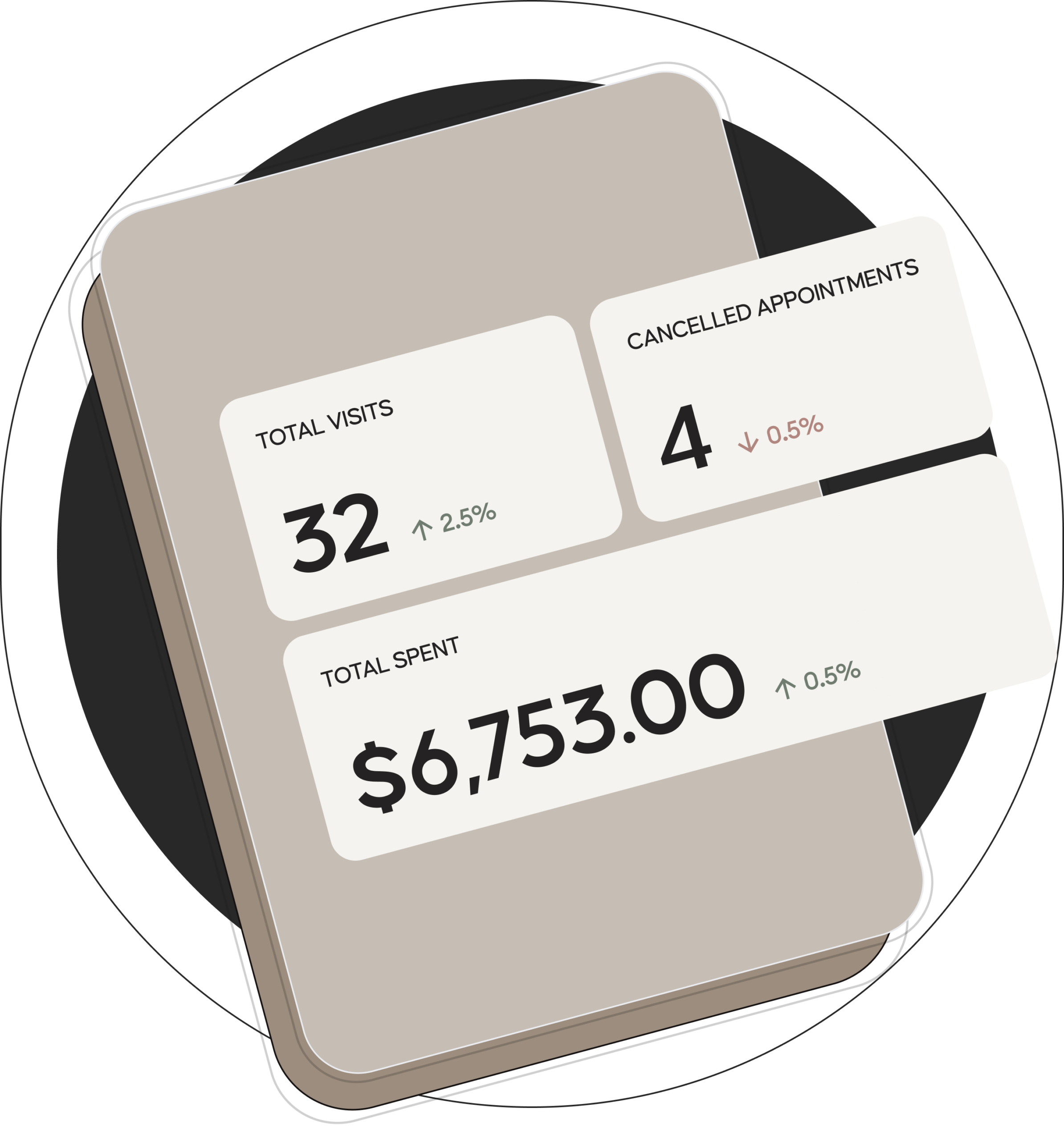
- Total visits and total spend
- No-show history and client behavior
Build Lasting Relationships
with Your Clients
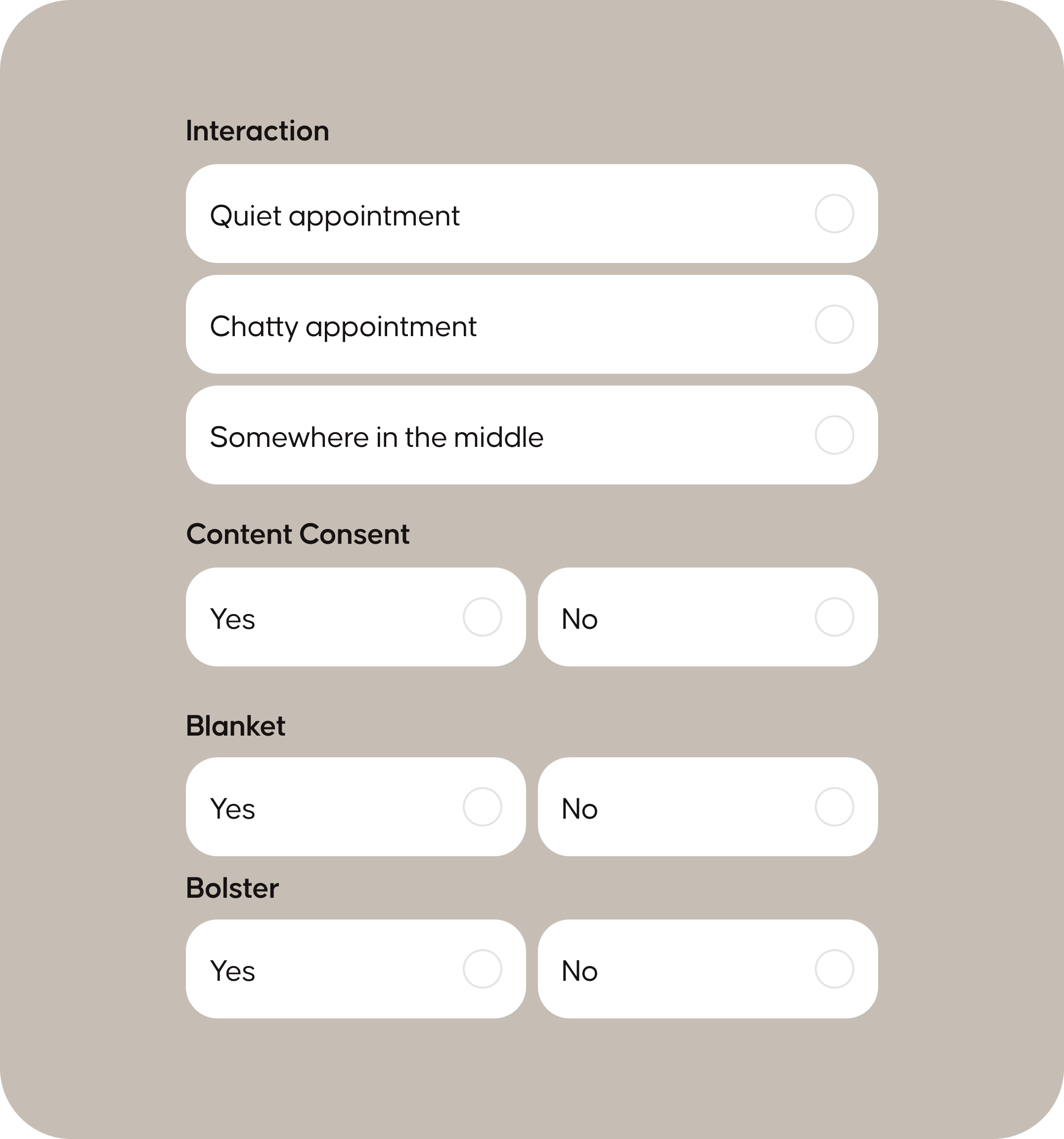
Preferences, Details, and
Client Experience
Capture the details that matter — from service preferences to comfort settings — so every appointment feels thoughtful, consistent, and tailored
- Comfort preferences
- Photo/video consent tracking
- Pronouns and personal details
- Birthdays for promotions and special moments
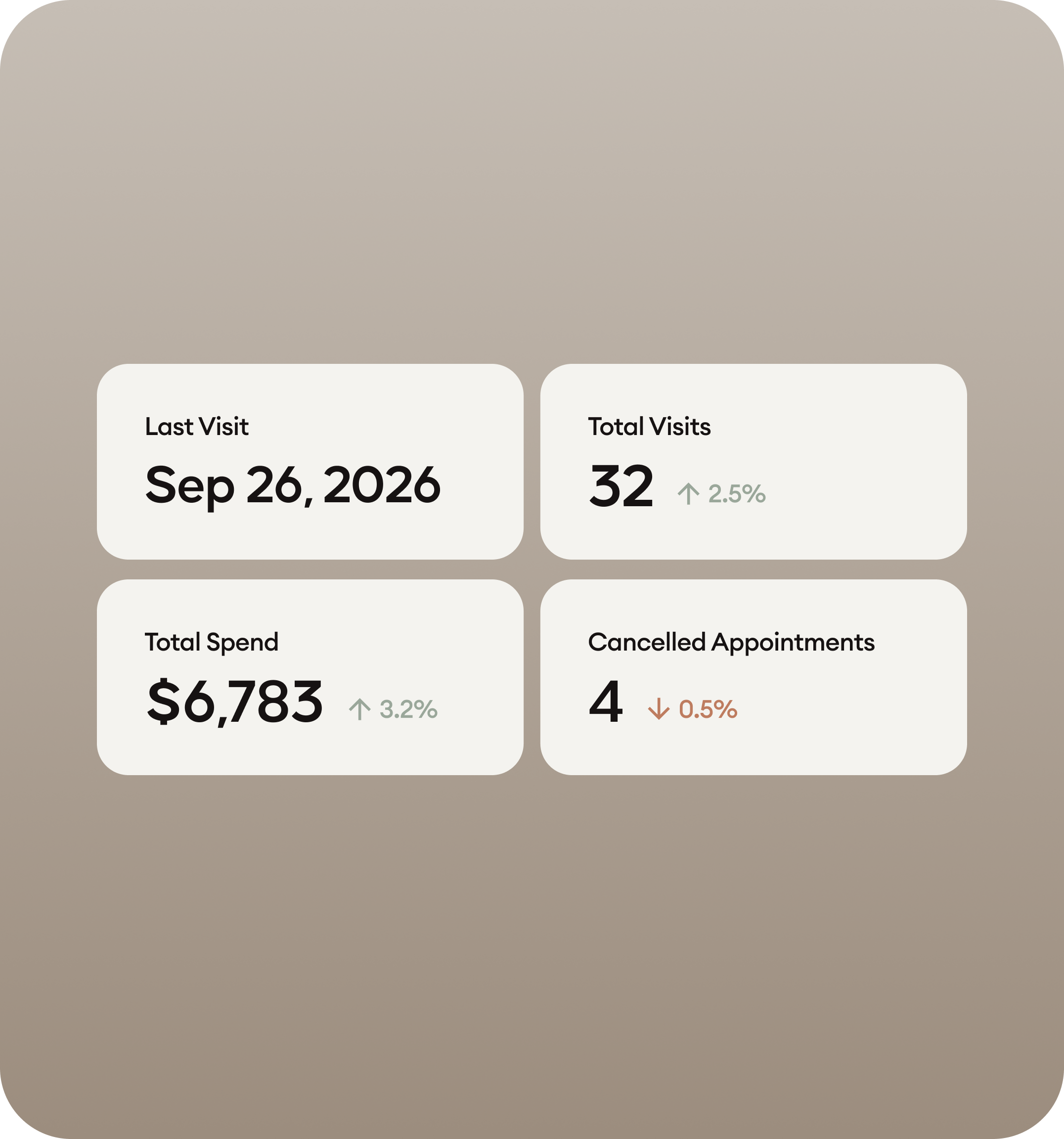
See What Actually Drives
Your Business
Track spend, visits, and booking patterns at a glance — so you can understand your clients, spot trends, and make decisions with clarity.
- Total spend and lifetime value
- Booking frequency and trends
- Retention and return patterns
- Individual client analytics
Turn Client Data into
Better Experiences
Track every detail, personalize every visit, and build stronger client relationships.
Keep Your Team &
Schedule Protected
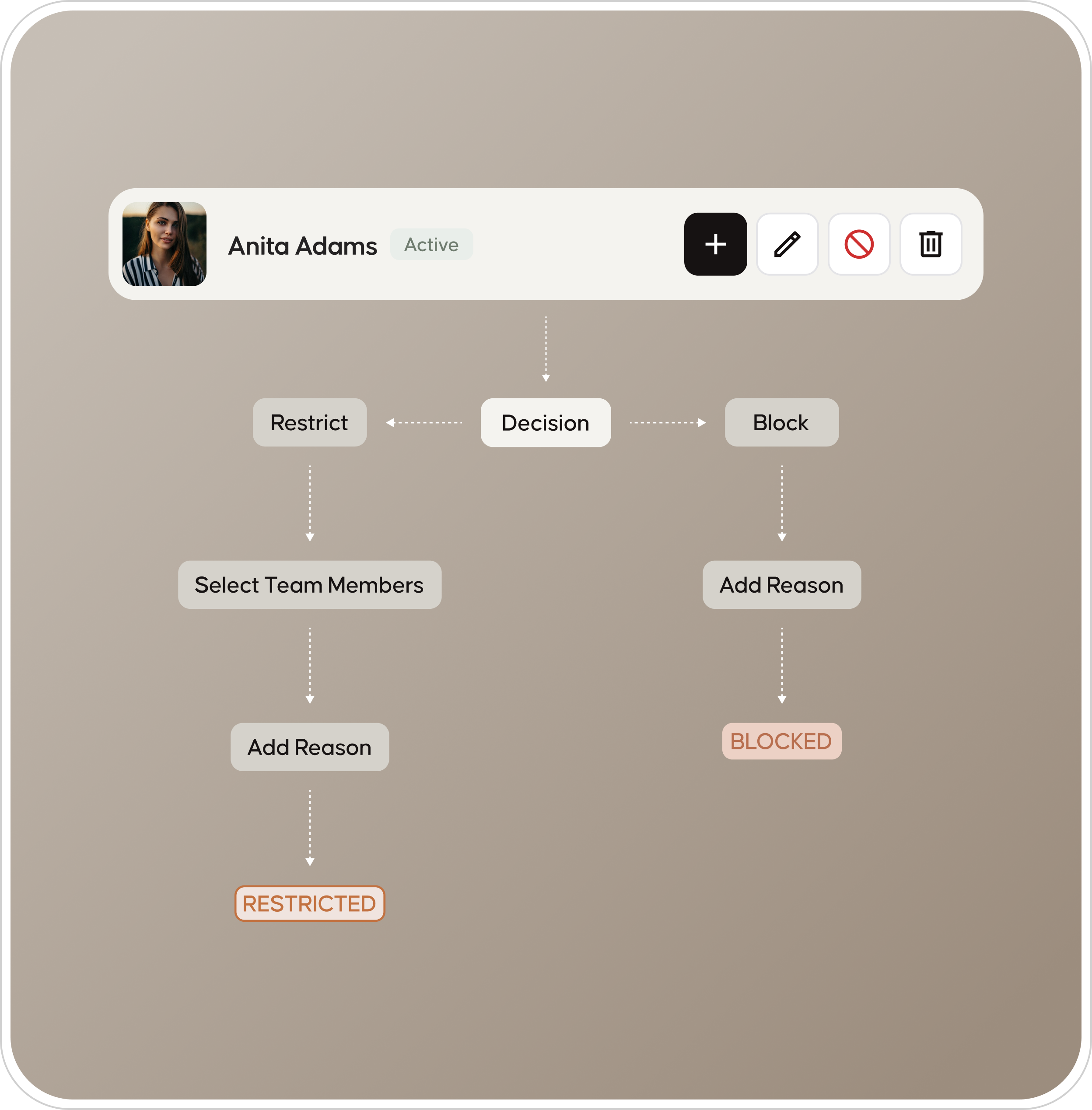
Protect your team’s time and keep your schedule consistent by managing client booking access — whether by limiting providers or restricting bookings entirely.
- Restrict booking with certain team members
- Block clients if necessary
- Manage no-show patterns
- Maintain a healthy client environment

View & Respond from
the Client Profile
View client reviews and respond directly from their profile — giving your team quick context and an easy way to stay engaged.
- Reviews visible within each client profile
- Respond without leaving your workflow
- Understand the client behind the feedback
- Keep reviews structured and easy to manage
Client Management Software
Frequently Asked Questions
What's in a client profile?
Everything your team needs in one view: appointment history, service notes, inspiration and reference photos, retail purchases, total visits, total lifetime spend, communication history, and any forms or waivers on file. When a returning client books, the stylist sees the full picture before they sit down — no flipping between apps, no asking the client to remind them what was done last time.
Can I save preferences and personal details?
Can I see how each client spends?
Yes. Every profile shows visit frequency, average ticket value, lifetime spend, last visit date, retail attach rate, and rebooking history. Filter your full client list by any of these to find your top spenders, your lapsed regulars, or your highest-value rebooking risks. Pull a list of ‘clients worth $2,000+ who haven’t booked in 60 days’ in one click.
Can I see and respond to a client's reviews?
Can I block or restrict a difficult client?
Yes. Restrict a client to specific stylists, require manager approval before they can rebook, flag them as ‘request only,’ or block them from booking entirely. The flag travels with the profile — every team member sees it before accepting an appointment. Most salons have two or three clients who are more trouble than they’re worth; you don’t have to keep accepting them.
How does check-in personalization work?
When a client checks in — at the front desk, via the client app, or at the Evolve plan’s kiosk — Emvari pulls their full profile. Their name, their stylist, their preferences, their last service, their photos. The team sees the complete client record before they sit down. Hospitality is in the data, not in someone’s memory.
Do I own my client data?
Yes. Every client record — contact info, history, notes, preferences, photos — is yours. Export the full list to CSV anytime, for any reason: a backup, your accountant, your own records, or migrating to a different platform. Your clients aren’t borrowed from Emvari; they’re your business. We just keep the data organized.